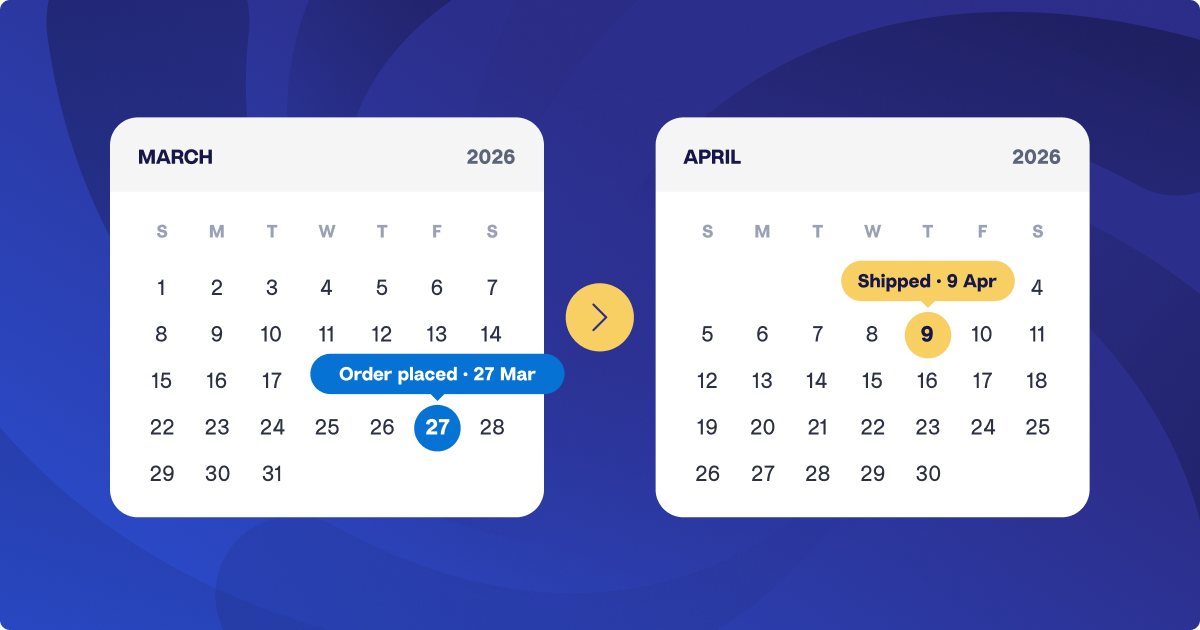
Introducing Deferred Revenue for Shopify: revenue recognized when orders ship

If you’re a Shopify seller and you take payment before you ship, you know the month-end routine: download the unfulfilled orders out of Shopify, total them up, post the deferral journal, then reverse it as orders go out.
It’s the slowest part of month-end close for pre-order, made-to-order, and backorder brands, and if you’re an accountant or bookkeeper, it multiplies with every Shopify client you do it for.
Great news: A2X now automates Shopify deferred revenue for you.
Each month A2X posts one adjustment that moves the revenue for unshipped orders into your deferred revenue liability account, then recognizes it when those orders ship.
Your revenue lands in the month you shipped, and the manual deferral journal is one less thing to worry about on your month-end list.
How Shopify deferred revenue works in A2X: one entry a month, dated to month-end
On the 7th of each month, A2X generates a deferred revenue adjustment dated the last day of the prior month. It is a separate entry to your usual A2X payout entries. If you sell in more than one currency, you get one deferred revenue adjustment per currency, the same way A2X handles your payouts. Each adjustment does two things:
- Moves revenue for orders still unfulfilled at month-end out of your sales accounts and into a Deferred Revenue liability account.
- Moves previously deferred revenue back into sales for the orders that shipped during the month.
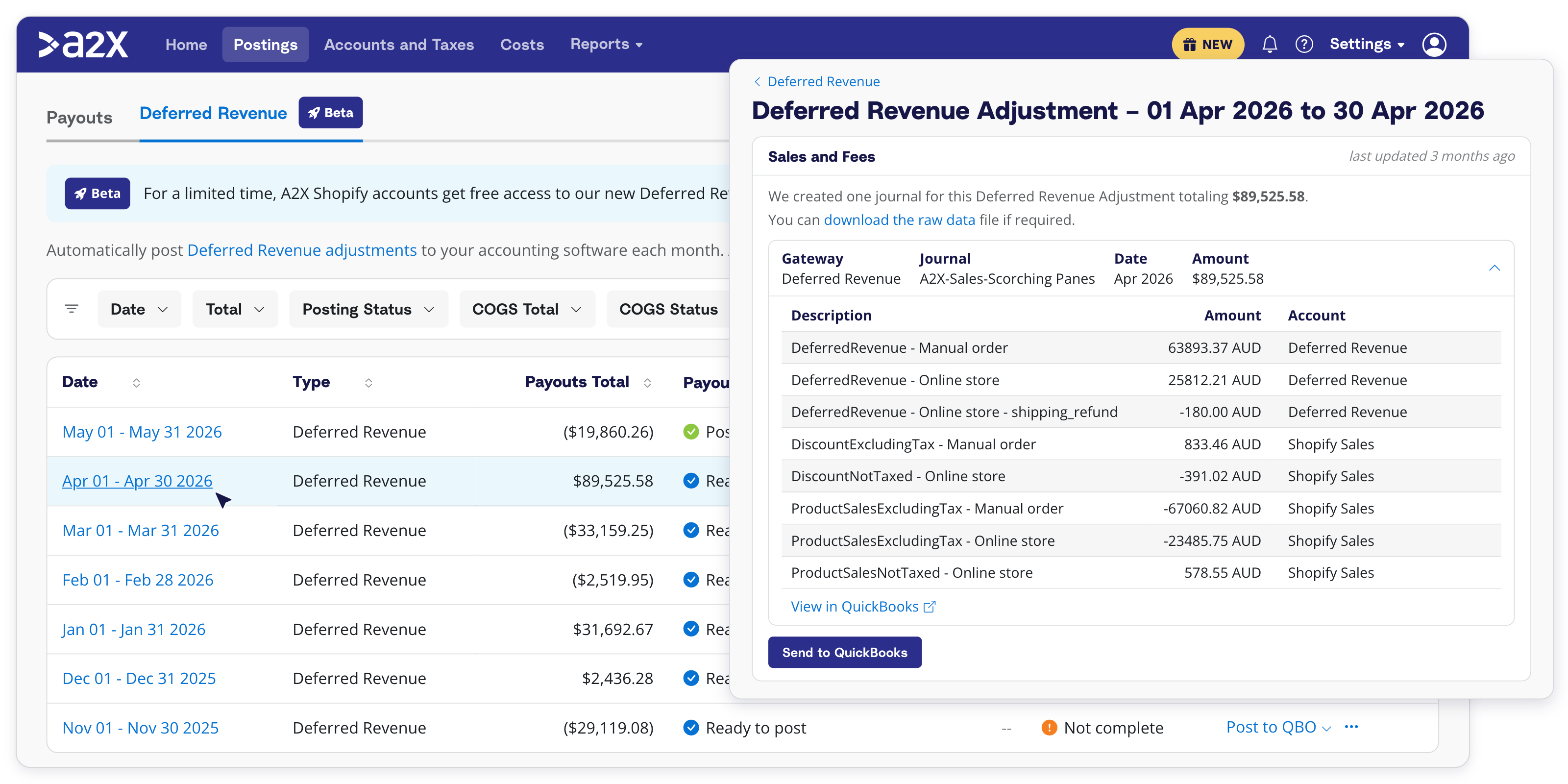
For example, if you have a $100 order placed in December and shipped in January. December’s adjustment moves the $100 out of sales and into deferred revenue. Then January’s deferred revenue adjustment entry moves it back into sales.
If you have COGS enabled, A2X posts a matching cost movement in the same monthly cycle, using your existing COGS and inventory accounts.
How A2X’s deferred revenue adjustments stay accurate
Shopify’s fulfillment status only tells you where an order is today, meaning you can’t run a report in Shopify for what was unfulfilled last month. To manage this, A2X builds its own fulfillment timeline for every order from Shopify’s fulfillment events, so it knows whether an order was fully fulfilled as of any past month-end, even when a later cancellation shifts the fulfillment date Shopify shows.
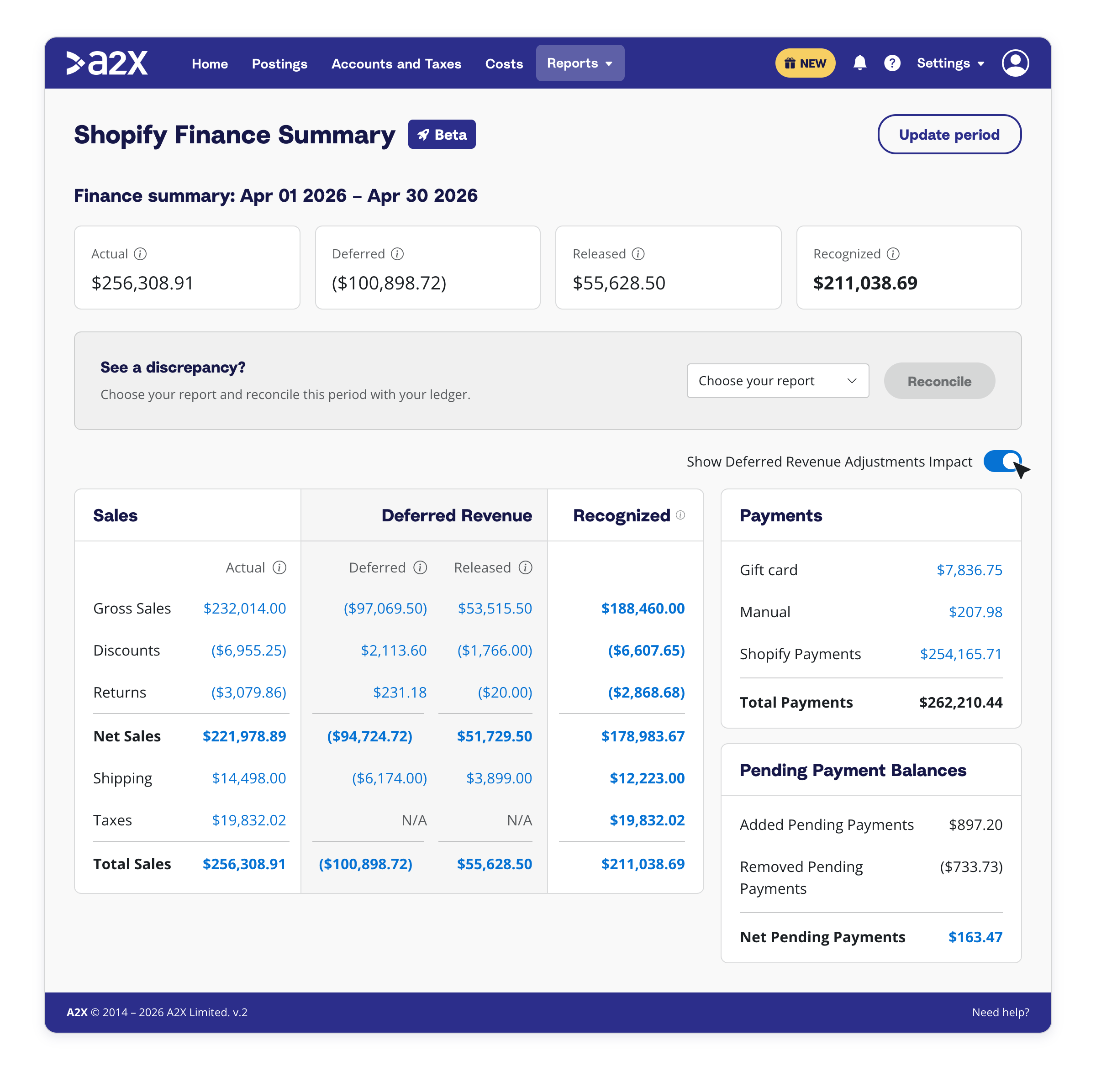
Every adjustment comes with the detail to back it up. With deferred revenue on, your finance summary breaks out actual sales, which still reconcile to Shopify, plus two new rows: Deferred (This Period) and Recognized (Previously Deferred).
Within A2X, you can also view any order’s fulfillment history and it shows when it was placed, when it became fully fulfilled, and the adjustments that followed. The raw export lists what A2X did for each order in the period, deferral or recognition, with the order’s status at the start and end of the month. The reconciling Shopify deferred revenue support article walks through it.
Who is deferred revenue for?
Deferred revenue for Shopify is built for merchants (and the accountants and bookkeepers who support them) on accrual accounting who get paid well before they ship, which covers pre-orders, made-to-order products, backorders, wholesale orders placed in advance, and slow shipping. It works whether you defer manually today or have never deferred at all.
If you haven’t deferred before
The value of deferred revenue is that your books don’t overstate what you’ve earned in any month that ends with unshipped orders. A November full of pre-orders that ship in January shows up as November revenue and profit for goods you haven’t delivered, and any of those orders refunded in January were November profit you never earned.
Deferring puts the revenue in the month you shipped, and in the right financial year at year-end. What you still owe customers sits on the balance sheet as a liability, which is how lenders, investors, and acquirers expect to see it. If that’s you and you’re not deferring yet, talk to your accountant or bookkeeper.
Getting started
From January 2027, Deferred revenue will be on Shopify Premium 5K and Multi 5K plans and above. Turn it on under Settings → Deferred Revenue, pick the month you want A2X to start from, and choose whether A2X posts each adjustment automatically or leaves it for you to review.
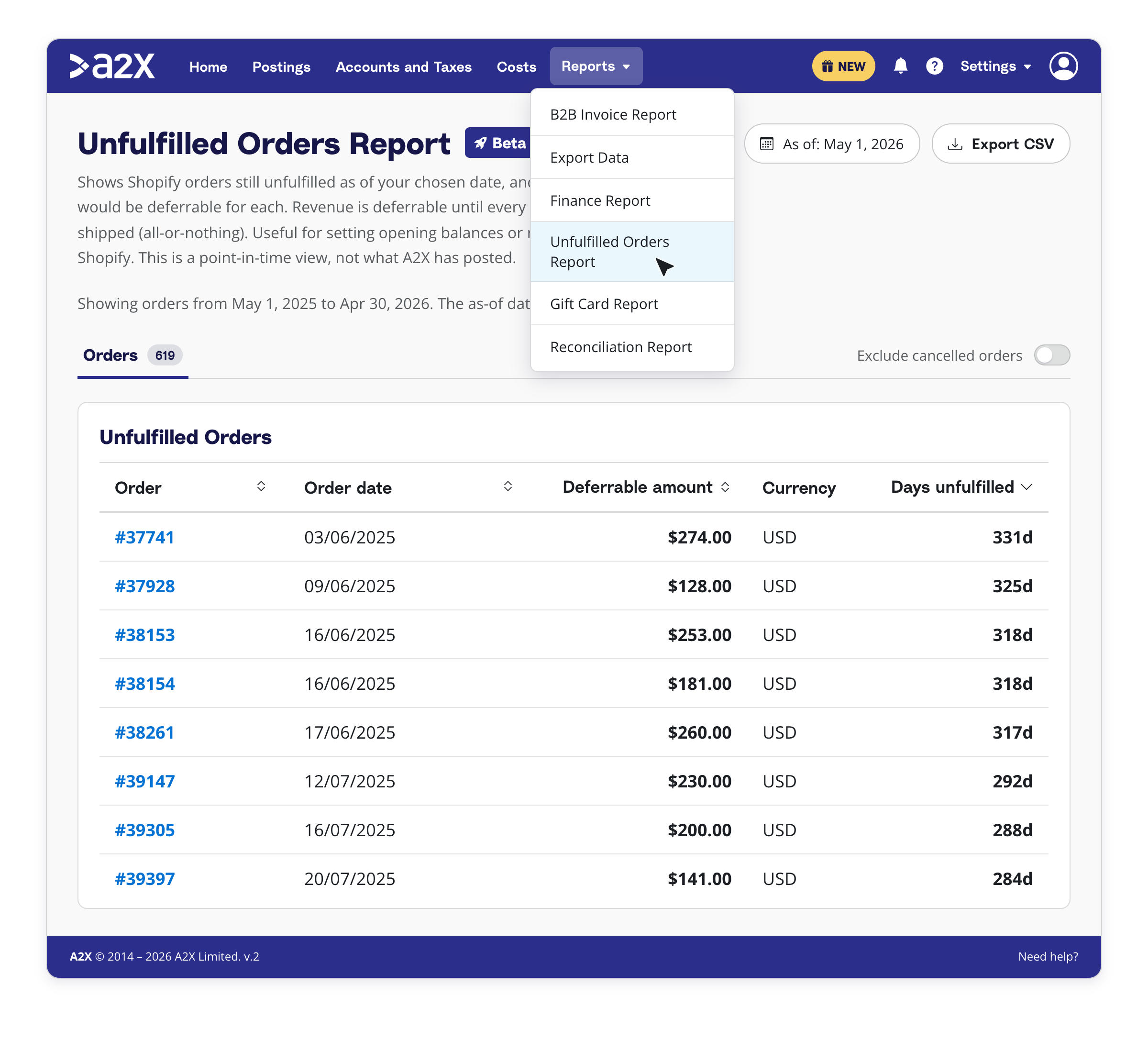
You’ll need to book an opening balance so A2X has a clean handover point. The new Unfulfilled Orders Report (Reports → Unfulfilled Orders Report) gives you the basis for it, and the setting up Shopify deferred revenue support article walks through the entry step by step.
Try deferred revenue for Shopify
Deferred revenue for Shopify is part of A2X Additions, our November roundup of new features. See it in action in the live webinar on Thursday, November 19th.
Save hours on your ecommerce accounting
A2X connects your sales channels and accounting software for fast and accurate monthly bookkeeping.
Try A2X today