Introducing the Posting Reconciliation Status Table: every posting checked against your ledger

For many ecommerce sellers, a huge benefit of A2X is that it’s set and forget. Your entries post and reconcile, without you even having to log in. But occasionally, entries change after they’ve reached your general ledger (GL). If a settlement gets posted twice, or someone edits or deletes the A2X entry in QuickBooks Online or Xero, A2X still says ‘Posted’. Then the balances don’t reconcile at month-end, and you have to start opening entries to find out why.
That is exactly why we’ve built the A2X Posting Reconciliation Status table, now in Beta. Now you can check every A2X posting against your ledger in one report.
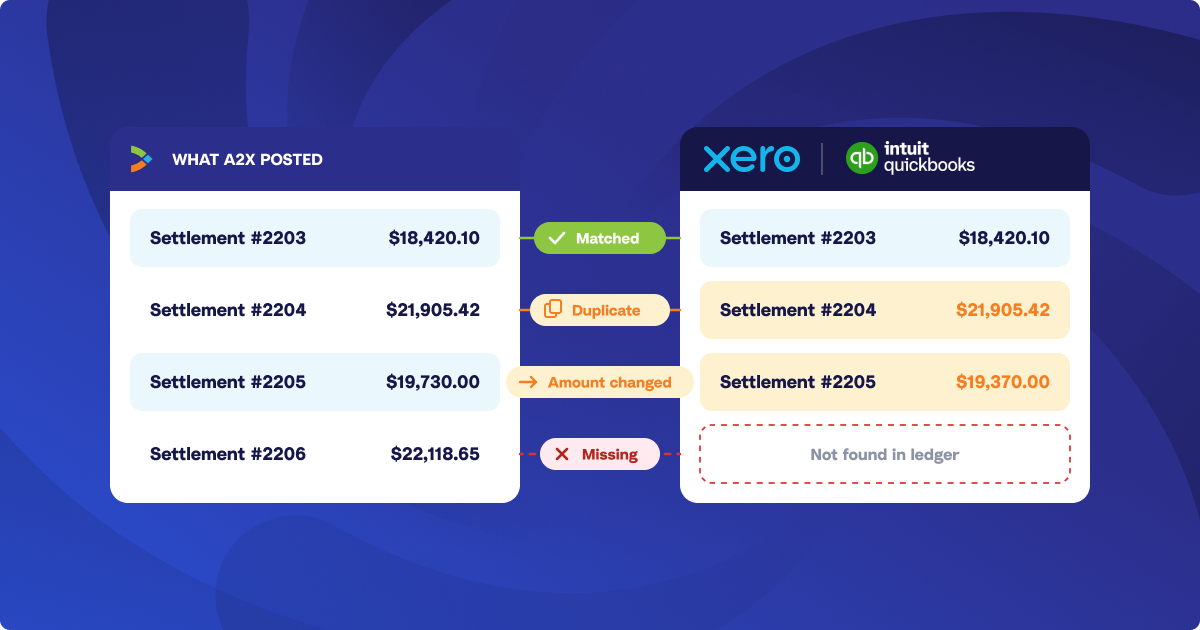
The Posting Reconciliation Status compares what A2X posted with what’s in QuickBooks Online or Xero right now. It flags each duplicate, changed amount, and missing entry, and gives you the reference number to find it. Currently, the Posting Reconciliation Status Table can be used with Amazon and Shopify accounts, with more sales channels coming soon.
You find the entries that need fixing without opening them one by one, and you close the month knowing your ledger matches what A2X posted.
How the Posting Reconciliation Status Table works: what A2X posted, next to what’s in your ledger
A2X keeps a record of every entry it posts to QuickBooks Online or Xero. All you have to do is set your dates. The table looks up each of those entries in your ledger as it stands right now, and compares the amount there with the amount A2X posted.
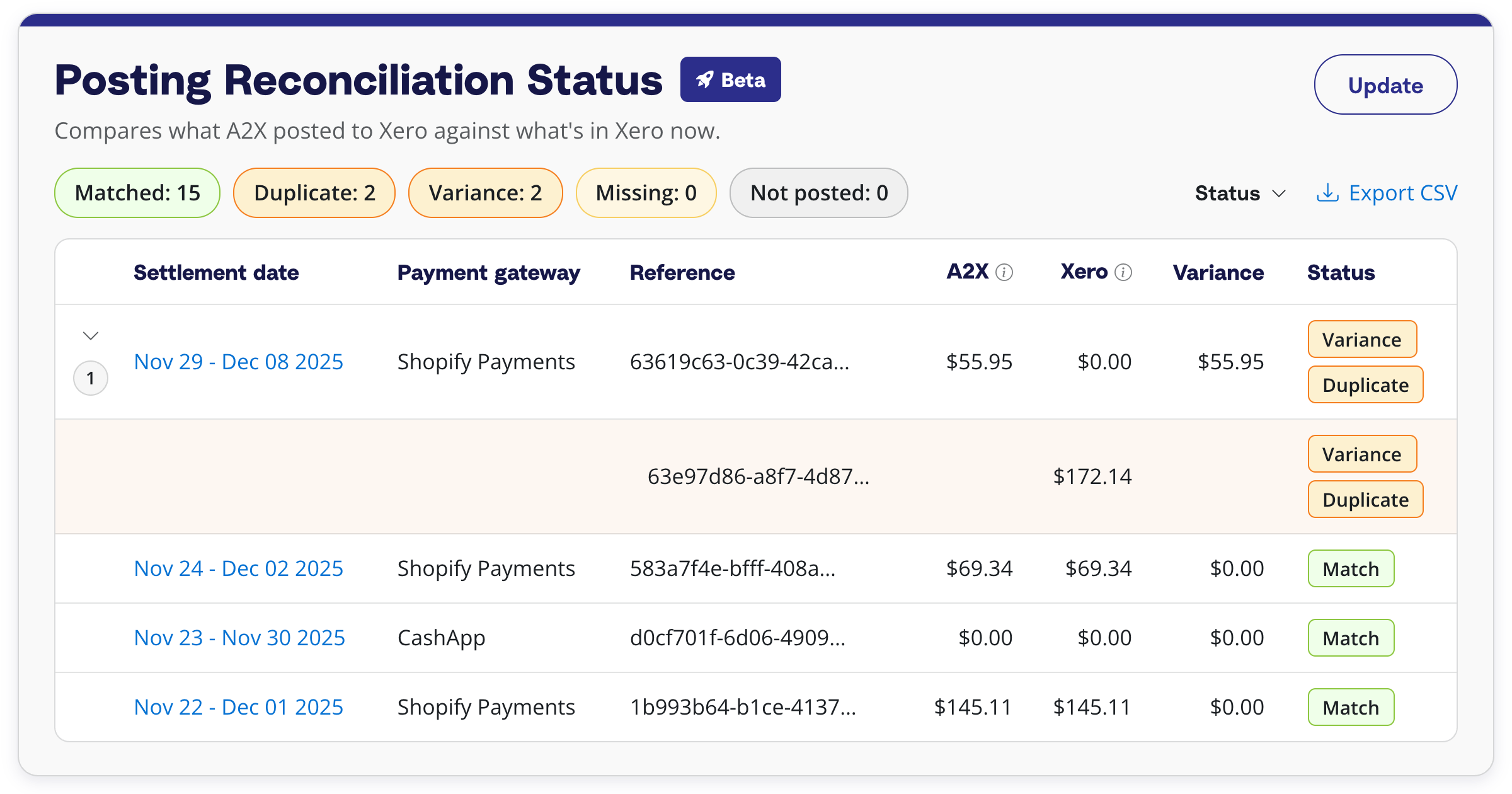
Each settlement or payout in the range gets a row with the amount A2X posted, the amount in your ledger, the variance between the two, and a status.
The counts at the top of the table (Match, Duplicate, Variance, Missing, and Not posted) are also filters, so one click takes you to the rows that need attention.
Match means the entry in your ledger agrees with what A2X posted, and Not posted means A2X hasn’t sent that settlement to your ledger yet. The other three statuses are the ones to act on.
Once the month matches, closing your books in QuickBooks Online or setting a lock date in Xero keeps those entries from being changed by accident.
What to do with a Duplicate, Variance, or Missing status
- Duplicate: more than one entry in your ledger matches the same settlement, which is what happens when it’s posted twice. Expand the row to see each extra entry and its reference number, then delete those in QuickBooks Online or Xero.
- Variance: the entry is in your ledger, but the amount is different from what A2X posted, which points to an edit made after posting. If the edit wasn’t intended, delete the entry in your ledger and post the settlement again from A2X.
- Missing: A2X shows the settlement as Posted, but there’s no matching entry in your ledger. It’s usually been deleted there, and you can post it again from A2X.
For a Variance or Missing row, the audit log in QuickBooks Online and the History and notes report in Xero show who changed the entry and when.
Fix it in your ledger, then run the report again
The Posting Reconciliation Status only reads from QuickBooks Online and Xero. Nothing on the page changes your books, so you’ll need to make the changes in your GL.
Each report is a snapshot of the moment you clicked Generate. Run it again once you’ve made a fix and the row shows Match.
You can also export the same rows as a CSV, which is handy for sending a client the exact entries to remove, or for keeping with your month-end file.
Who the A2X Posting Reconciliation Status is for
Any business posting from A2X to QuickBooks Online or Xero. It’s most useful when more than one person works in the ledger and an entry can be changed without the person who posted it knowing.
For accountants and bookkeepers, it’s a quick check on each client before month-end. One report tells you whether a client’s ledger still matches what A2X posted.
Getting started with A2X Posting Reconciliation Status
The A2X Posting Reconciliation Status is available in beta for A2X accounts connected to QuickBooks Online or Xero. Email contact@a2xaccounting.com to turn it on now. It will be on for everyone in early 2027 under Reports → Posting Reconciliation Status.
The Posting Reconciliation Status is part of A2X Additions, our November roundup of new features. See it in the live webinar on Thursday, November 19.
Save hours on your ecommerce accounting
A2X connects your sales channels and accounting software for fast and accurate monthly bookkeeping.
Try A2X today