Introducing Shopify B2B AR Sync: wholesale receivables that stay current in your ledger

If a wholesale customer orders through your Shopify store on payment terms, someone has to create an invoice in QuickBooks Online or Xero, set the due date, and then mark it paid in both places.
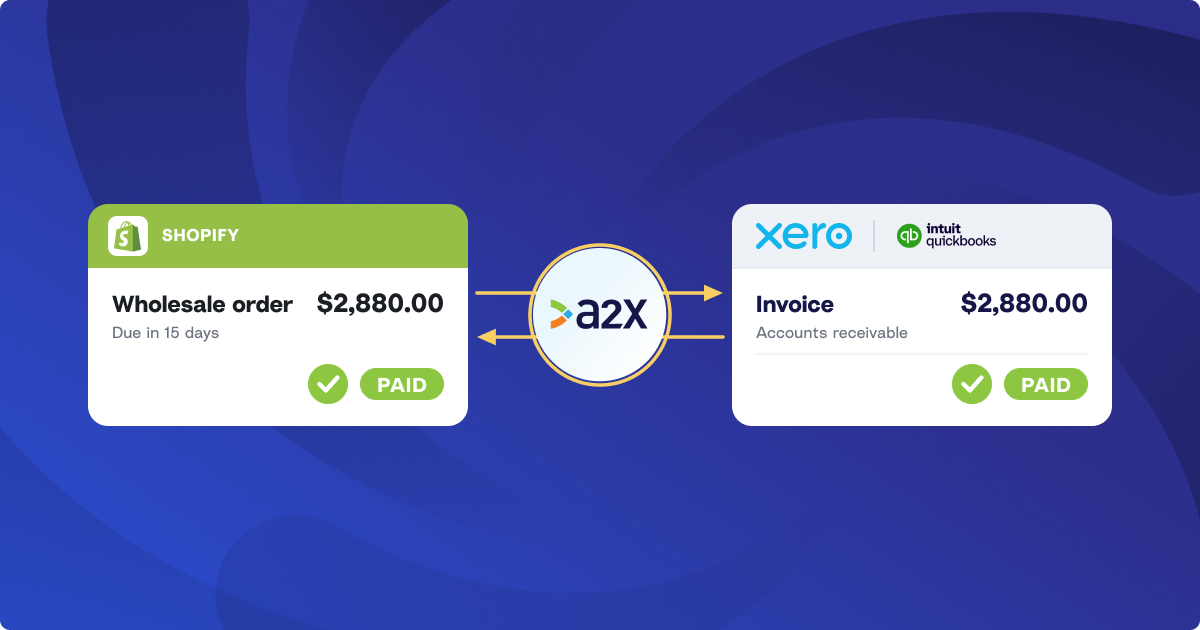
A2X’s Shopify B2B AR Sync fixes that. You tag a wholesale order in Shopify and A2X posts it to your ledger as an open invoice. It’s made out to the company that ordered it, with a due date from their payment terms. Then, when you record the payment in either Shopify or in your accounting software, A2X updates it in the other.
Your AR is accurate from the day the invoice posts, and every invoice and payment traces back to a Shopify order.
How Shopify B2B AR Sync works: one invoice per wholesale order, closed when it’s paid
When a wholesale order is placed through your Shopify store, add the A2XB2B tag by hand or automatically with Shopify Flow. A2X creates an invoice for it, dated to the Shopify order date. The delay is so any edits made to the order right after it’s placed are included.
Within A2X, you can post the invoice from the B2B Invoices tab on your Postings page, or turn on auto-posting and A2X posts each one to QuickBooks Online or Xero as it’s created.
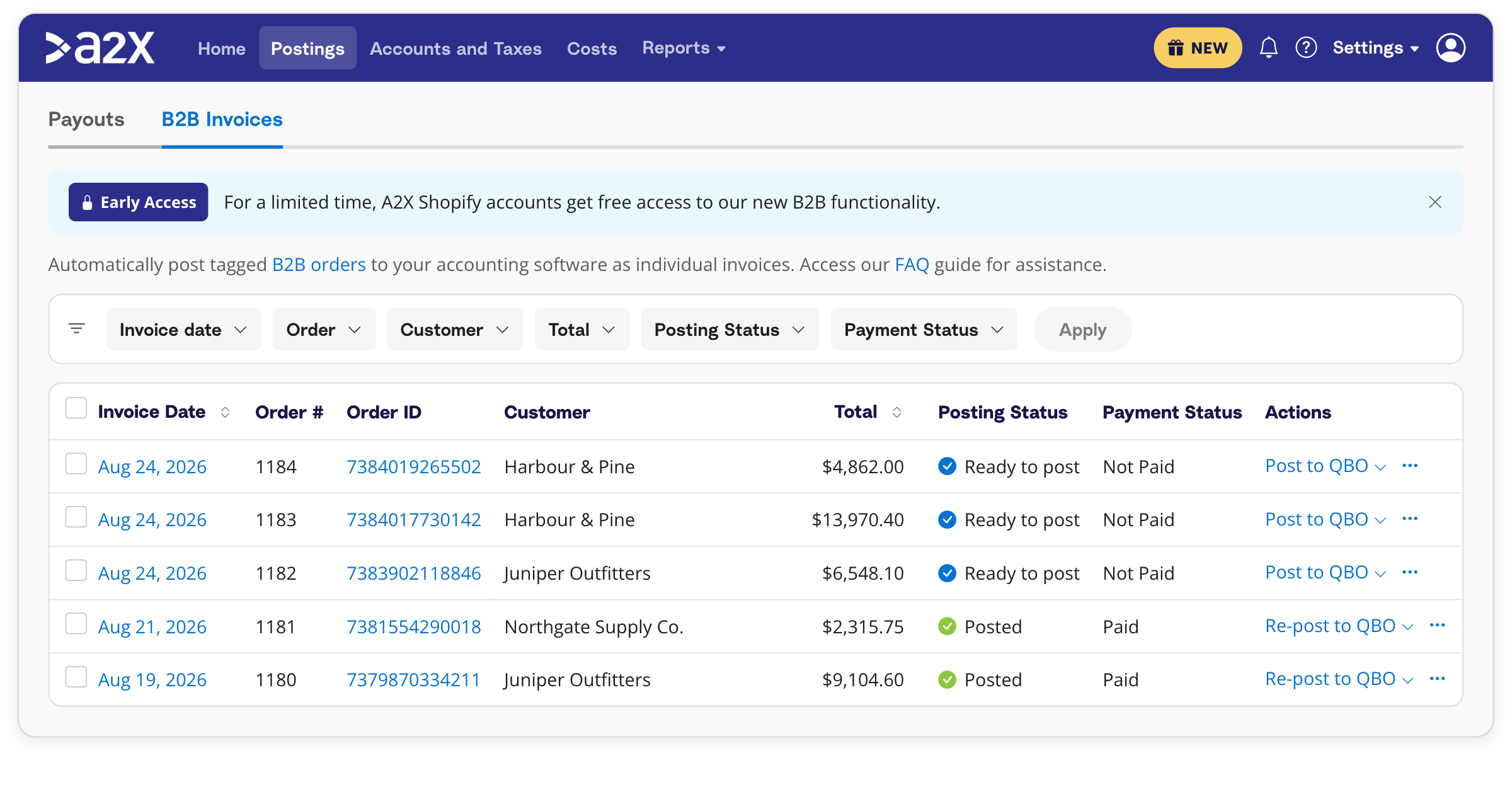
Only tagged orders become invoices. The rest of your Shopify sales stay in your usual A2X payout summaries, so your ledger doesn’t fill up with an invoice for every online order.
The tagged order stays in its payout summary too, which still records its sales, tax, and shipping. The invoice is coded to a separate asset account you map in A2X, so it shows who owes you what without counting the sale twice.
Payments sync in both directions
When an order is marked as paid in Shopify, A2X applies a payment to the open invoice in your ledger and the invoice closes. The payment is dated to the Shopify payment date. When an invoice is paid in full in QuickBooks Online or Xero, A2X marks the order as paid in Shopify.
Either way, the invoice’s status in A2X updates within minutes. How you reconcile the bank deposit depends on how the customer paid, and the transaction flow and reconciliation support article walks through each case.
Invoice details that match Shopify
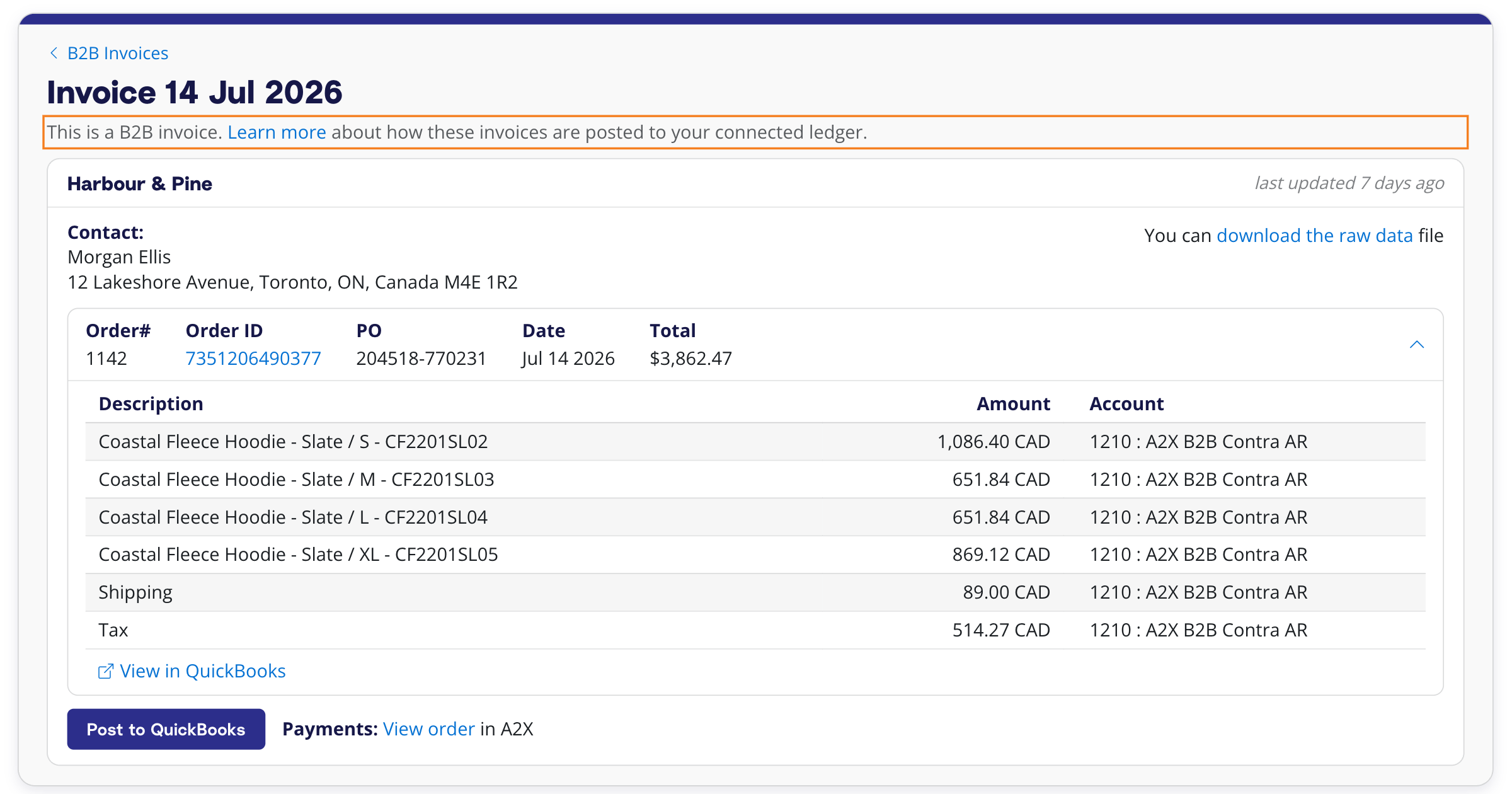
A2X reads the payment terms on the Shopify order, such as 15 days, and sets the invoice’s due date to match. This means an invoice ages from its real due date, so your AR aging report shows who’s late and who isn’t.
Each invoice is also assigned to the business that placed the order. A2X uses the company on the Shopify B2B order, then the billing company, then the customer’s name. If that customer is already in QuickBooks Online or Xero, A2X uses the existing record, and if not, it creates one.
You get a choice of how your invoices are numbered: by Shopify order number, by Shopify order name (which keeps any prefix, such as #WS1001), or by your accounting software’s own sequence.
When a customer’s payment arrives quoting their order number, you can search for the invoice by that number. If several Shopify stores post to one ledger, use the order name, and the prefix stops two stores from producing the same invoice number.
The B2B Invoice Report (Reports → B2B Invoice Report) lists your synced invoices as of any date, paid or unpaid. If you run it as of month-end, the unpaid total is the amount your B2B asset account ties to.
What stays in Shopify and your accounting software
Shopify B2B AR Sync is built for keeping receivables aligned between Shopify and your ledger.
It doesn’t change customer-facing invoices within Shopify or your accounting software. A2X doesn’t build or send invoices, statements, or payment reminders. The invoice it posts is to track the debt, not to go to your customer.
B2B AR Sync also doesn’t track stock quantities or manage purchase orders, and invoice lines aren’t tied to stock items.
What’s coming next for A2X’s Shopify B2B AR Sync
Shopify B2B AR Sync is still in beta, and order edits are next. Currently, an invoice will reflect the order as it stood when it synced, so later changes will need to be made in your ledger by hand.
We’re also working on refunds. For now, a refunded B2B order needs a credit note (a credit memo in QuickBooks Online) created in your accounting software.
We’re adding more detail to each invoice too, including ship-to and ship-from addresses, SKU lines, taxes, and purchase order numbers.
Who A2X’s Shopify B2B AR Sync is for
A2X’s Shopify B2B AR Sync is for Shopify merchants who sell to other businesses on payment terms and use QuickBooks Online or Xero, and for the accountants and bookkeepers who keep those receivables in order.
It fits stores that sell wholesale and direct-to-consumer side by side. Wholesale orders become invoices, and everything else stays summarized. If you also defer revenue on orders that ship later, A2X’s Deferred Revenue for Shopify runs alongside it.
Getting started with A2X’s Shopify B2B AR Sync
Shopify B2B AR Sync is in beta. To join, email contact@a2xaccounting.com or use the chat icon in A2X, and our team will switch it on. You then enable it under Settings → B2B Invoice, reconnect Shopify so A2X can update orders, and choose the asset account for your invoices. The A2X for Shopify B2B support articles cover each step.
From January 2027, Shopify B2B AR Sync will be available on Premium 5K and Multi 1K plans and above. You’ll need an active subscription, since it isn’t included in the free trial.
Shopify B2B AR Sync is part of A2X Additions, our November roundup of new features. See it in the live webinar on Thursday, November 19.
Save hours on your ecommerce accounting
A2X connects your sales channels and accounting software for fast and accurate monthly bookkeeping.
Try A2X today