
Mapping change history is now live

By
Amy Crooymans
1 minutes
read
Mar 25, 2026
You can now see who updated your mappings and when, giving you a clear audit trail when something changes. This is especially useful if multiple people manage your A2X account, or if you’re trying to figure out why a mapping doesn’t look the way you set it up.
Open the mappings page for any sales channel and click “Change history” to see the latest 20 updates. Each entry shows the date and time, the user who made the change, and the reason for the update.
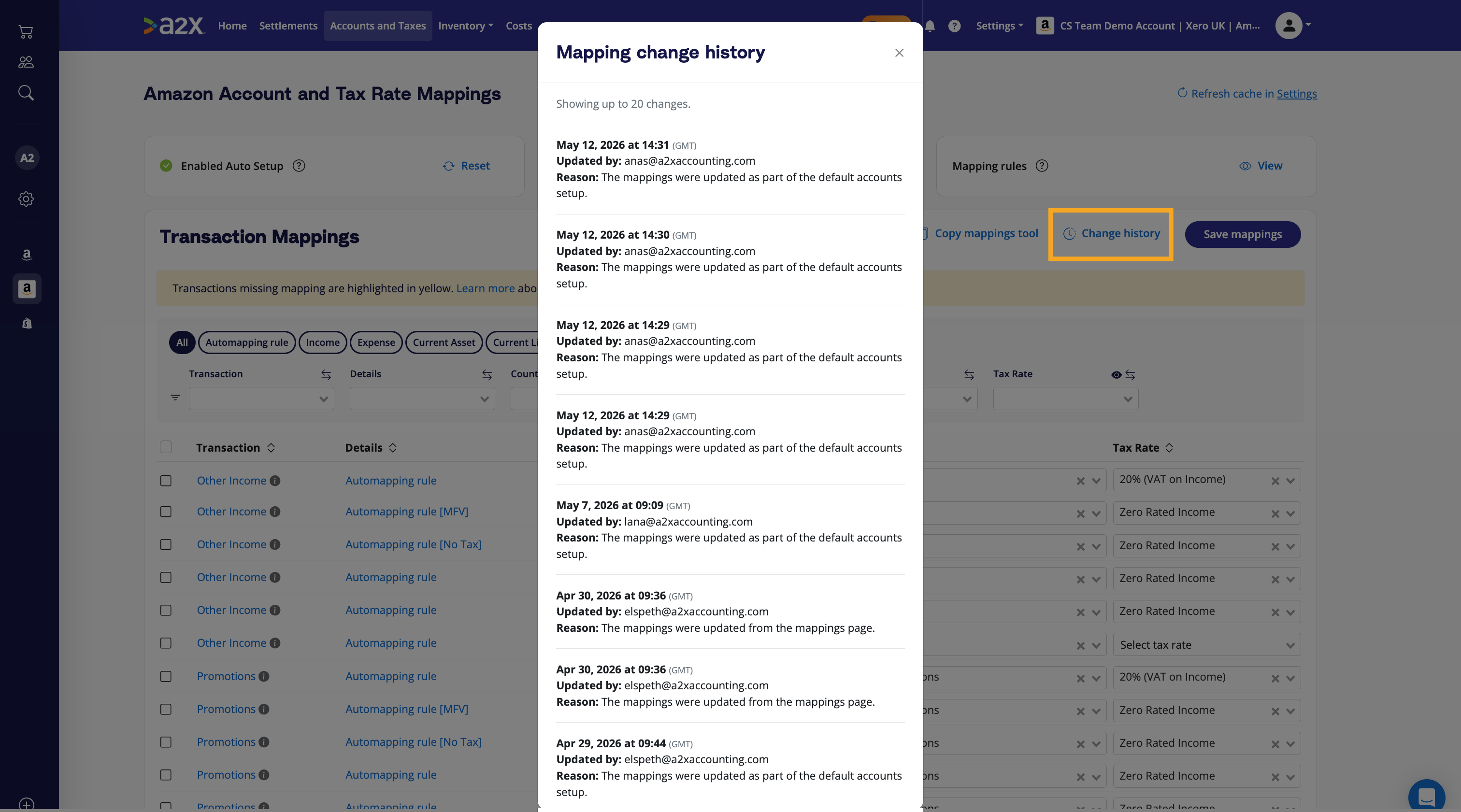
The reasons you’ll see are:
- The mappings were updated from the mappings page, when a user makes a manual change
- The mappings were updated as part of the default accounts setup
- The sales grouping level was altered, for example when split by country or split by SKU is enabled
- The account settings were updated, which currently applies to Deferred Revenue and Shopify settings
If something in your mappings looks different from what you expect, change history is the first place to check.
Save hours on your ecommerce accounting
A2X connects your sales channels and accounting software for fast and accurate monthly bookkeeping.
Try A2X today