
Multi-entity support for Shopify stores

If your Shopify store operates with multiple Business Entities, A2X can now handle them properly, giving you cleaner data and more control over how your books are structured.
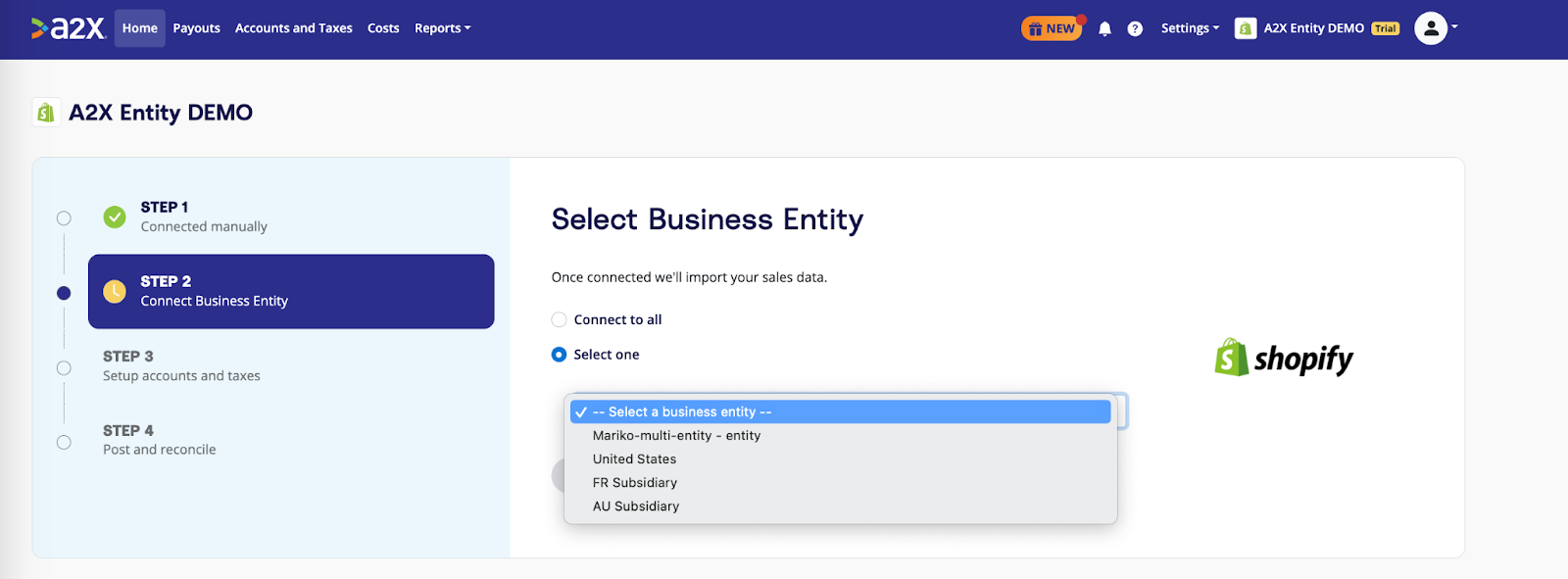
If you’re connecting a new Shopify store, A2X will automatically detect whether your store has more than one Business Entity. If it does, you’ll be asked to choose how you’d like A2X to handle your data:
- All Entities: Syncs transactions from every entity into a single A2X account, posting to one general ledger. Reconciliation aligns with Shopify’s Finance Summary at the store level, and entity data is visible in some selected reports and exports.
- Single Entity: Syncs transactions from a single selected entity only, posting to its own general ledger. Ideal for separate accounting files per legal entity. Each entity requires its own A2X account and subscription.
If your store has only one Business Entity, nothing changes. A2X will continue syncing your store as normal.
This choice is made once during connection and stays locked to the account. If you need to change your entity scope later, you’ll need to create a new A2X account and reconnect.
If you’re an existing A2X customer with a multi-entity Shopify store, your account will default to All Entities mode. Nothing changes unless you take action. If you’d like to switch to Single Entity mode, we’ve put together a guide to walk you through it.
Save hours on your ecommerce accounting
A2X connects your sales channels and accounting software for fast and accurate monthly bookkeeping.
Try A2X today